
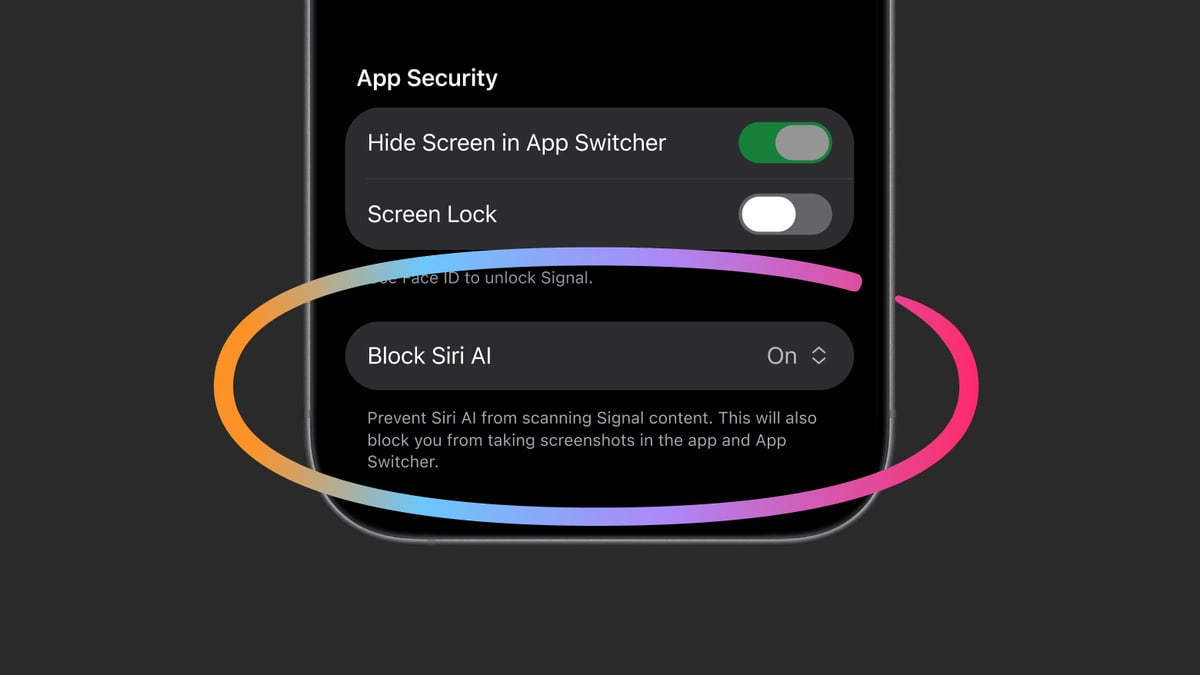
Signal, the private messaging app, said on Friday, Nov. 20, that it is restricting the AI assistants built into phone software from capturing and storing its chats, which Signal says they could otherwise do. These assistants, such as Siri AI on Apple's iPhones and Google's Gemini on Android, can answer questions about whatever is on the screen. Apple released Siri AI as a test version in September and said it would not be available at first in the European Union on iPhones. Signal says the assistants do it by "scanning" the screen, so Signal messages get captured and stored wherever the assistant keeps its data, on the phone or on a company's computers. It called the spread of these assistants into phone software "an existential threat to Signal."
Signal says its promise of privacy rests on code anyone can inspect and a method of encryption that outside security experts have tested. Signal says an assistant that reads the screen goes around all of that. It captures messages from everyone in the chat, not only the user's, and once captured, Signal says, they are out of Signal's control.
On iPhones running iOS 27, Signal is blocking screenshots inside the app. Signal says most of these assistants read an app by taking a picture of the screen, so blocking screenshots cuts off their usual way in. Signal's iPhone settings now include a "Block Siri AI" switch. On Android, Signal says blocking every screenshot would leave people on many phone makers' versions confused about why screenshots stopped working. So it watches for an AI assistant trying to read the screen, and when it sees one it automatically switches on "Screen security," a setting Signal's Android app already has, which blocks pictures of the app's screen.
People who want screenshots can switch the protection off, but Signal warns that this may expose their own and their contacts' messages to the assistants and "break our privacy guarantees." Signal did the same on Windows in May 2025, blocking screenshots by default to keep out Microsoft's Recall, which Signal says captures the screen every few seconds. This time the protection has gaps. Signal can't reliably block screenshots on Macs, so for now it tells people using macOS 27 to add Signal to the Excluded Apps list in the Siri section of System Settings to keep Siri AI from reaching its messages on its own. It can't detect the assistants on every Android phone.
Signal also calls its fix incomplete in another way: blocking screenshots does not address the chance that an AI agent, software that can carry out tasks on its own instead of only answering questions, could read messages already stored in the phone's files.
Signal is again asking Apple, Google and Microsoft for an easy, documented way for apps to opt out of AI access to their data, and for clearer explanations of how the assistants work. It also wants a way to keep out AI agents made by other companies, such as Meta's Muse AI agent. Signal says people are encouraged to grant these agents broad permissions during setup. In many cases, it says, they use accessibility settings, which are meant to help people use their apps, to reach other apps' data. Signal says Google and Apple are talking with it, and it hopes to have more to share soon. It is not yet clear whether either will give app makers the switch Signal wants.